I recently bought this car LED light kit, it is an RGB light that you install in the car (or anything you like) and you can control the light’s color, brightness and other settings using a phone application via Bluetooth Low Energy (BLE). The kit comes with 5 separate modules (boards), one is the master board which the phone connects to using BLE, while the remaining boards are slave boards (one for each door of the car) that get the settings (e.g. color and brightness) from the master board. What I liked the most about this kit is that the communication between the master board and the slave boards are done over wireless channel, so no need for long wires from the car’s dashboard to each door.
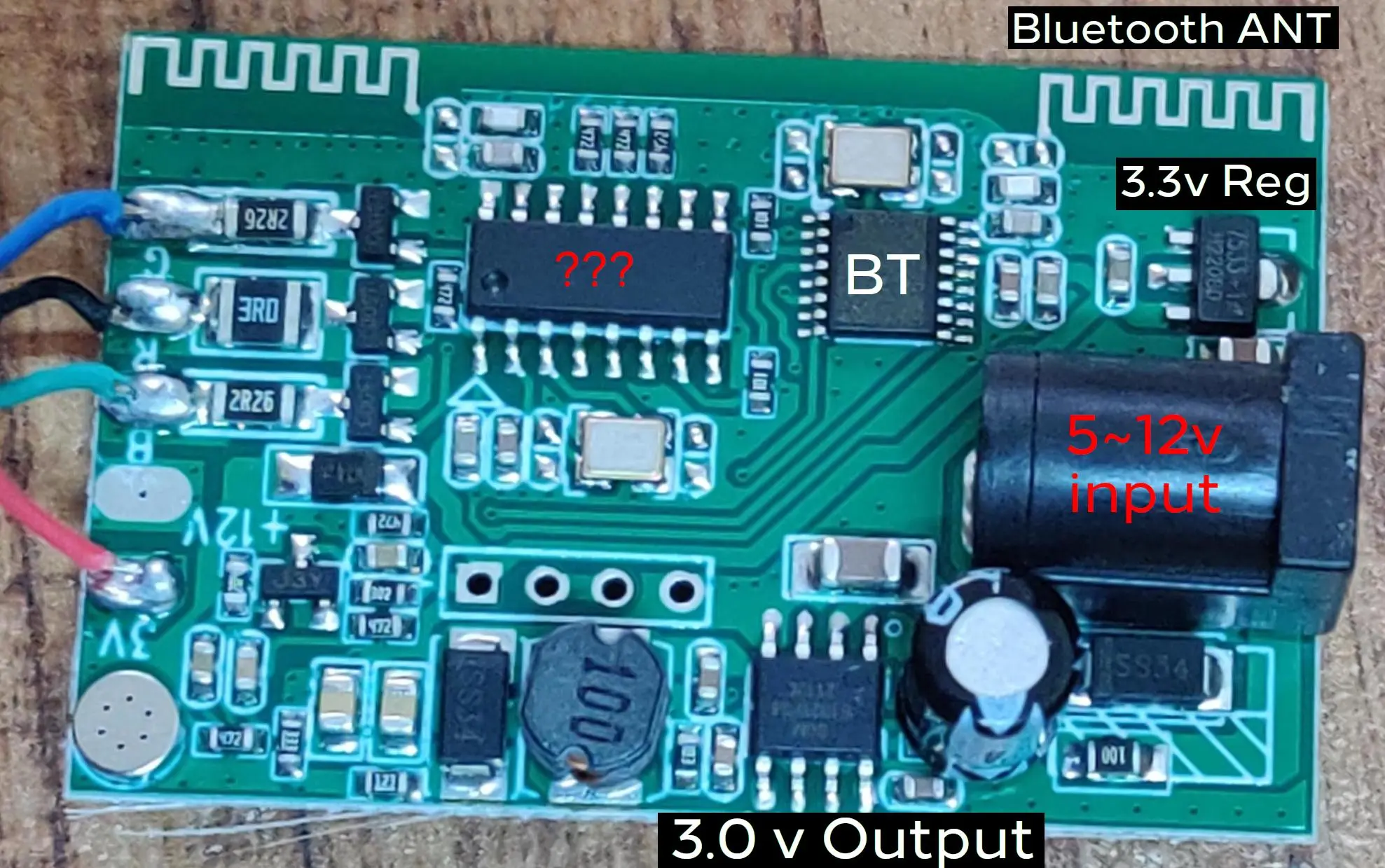
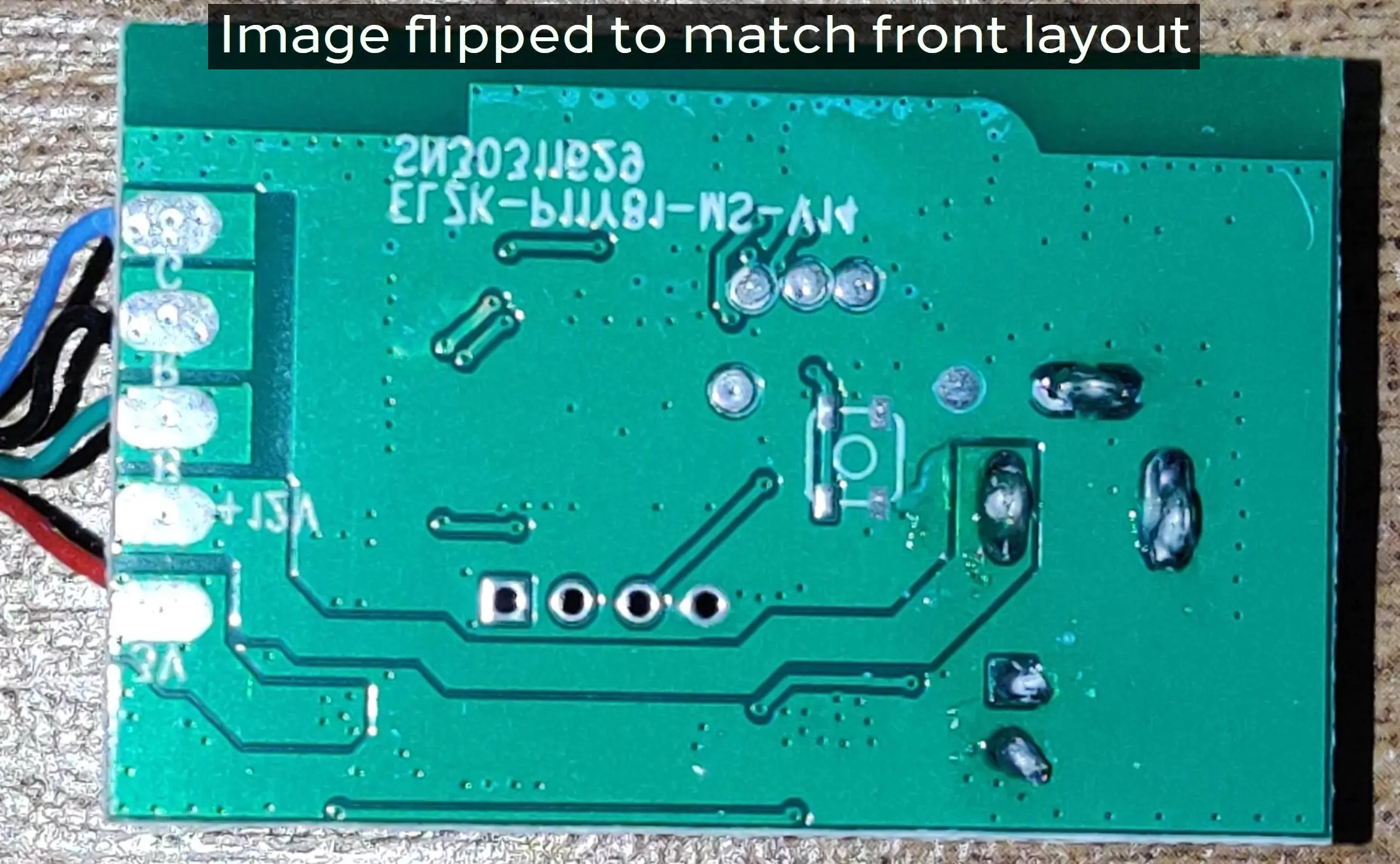
The master board is controlled via Bluetooth to control the light settings and it relays these settings data to other slave boards to sync LED color and brightness. The BLE chip is of unknown model (The chip is sanded by the kit maker to hide its information). There is another chip (also sanded) that seems to be a micro-controller, it controls the RGB LEDs, the same chip is used in the master board and the slave boards, however, in the mater board it receives the data from the BLE chip and apply it to the LEDs also transmit the received data to the other slave boards, while in the slave boards that chip only receives the data and apply it to its connected LEDs. It seems to me that this micro-controller chip also operates on the 2.4GHz frequency based on the size and shape of its antenna, but I can be wrong.
Why I am doing this?
I want to modify the system to be able to control the brightness from another system (e.g. Arduino) that I can connect to the master board.
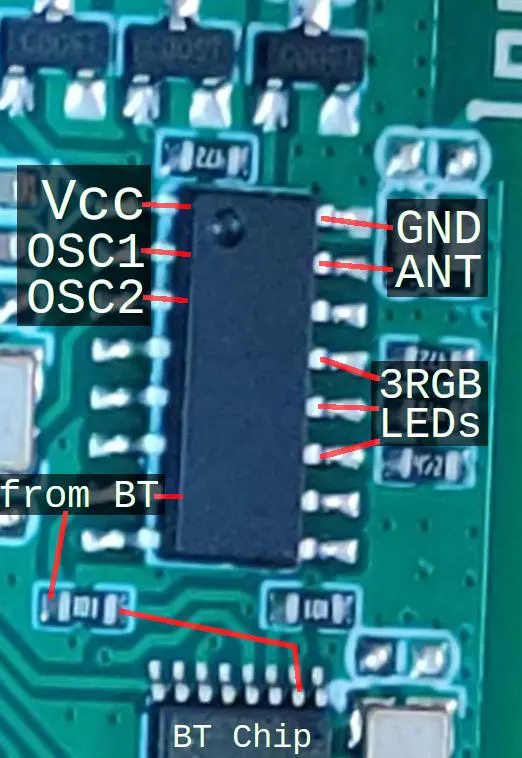
The last picture shows the pins of this chip. It seems that the pins at the lower half are I/O pins. I will also try to sniff the line coming from the BT chip to understand how brightness is communicated. Maybe I can just connect my other system directly to this line and simulate the data from the BT chip. Are there any precautions that I need to keep in mind?
Both chips run on 3.3V, while the LEDs are powered by the 3.0V circuit.
Update 1:
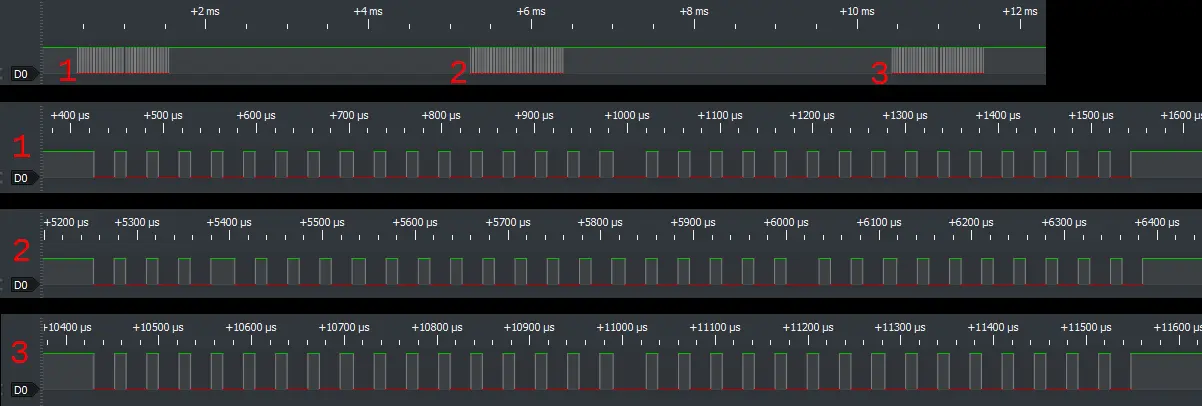
I am adding a screenshot of some of the sniffed signals which the BLE sends to the MCU in case someone might find it useful.
Update 2: (The good and bad news)
With a lot of luck and a little of thinking I thought the unused 4-pin header might be for an IR receiver, since some models of this kit comes with an IR remote. The 4 pins are 3.3 V, GND and two are joint together and connected to the Bluetooth chip. So I soldered in an IR receiver.
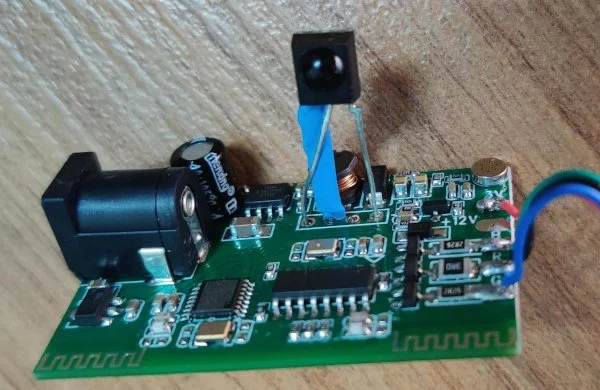
I started testing with different remotes and one universal remote and one of the buttons changed the LED color (YESSSSSS :) ), so I sniffed the transmitted code to find that it is NEC protocol. so I wrote an Arduino code to try all possible codes with the NEC protocol (256 codes), and here is my conclusion:
- The chip doesn’t care about the address, any address will work.
- There are only 20 codes that are programmed:
- 8 codes for 8 different colors.
- 8 codes for preset color fading, changing, reaction to sound (via microphone)
- 2 codes for light on and off
- 2 codes for setting brightness (up and down, 10 levels)
However, the bad news is I cannot set any color I want and most importantly the brightness control is not smooth, when changing from one level to another you see a very visible blink/pulse that defeats the purpose of all of this work which to mimic the car’s smooth turn on and off and brightness control.
Here are the codes (from my Arduino code) in case someone find it useful:
uint8_t cmdColor_Purple = 0x08;
uint8_t cmdColor_White = 0x30;
uint8_t cmdColor_Green = 0x50;
uint8_t cmdColor_Yellow = 0x70;
uint8_t cmdColor_Red = 0x90;
uint8_t cmdColor_Orange = 0xB0;
uint8_t cmdColor_Blue = 0xD0;
uint8_t cmdColor_LightBlue = 0xF0;
uint8_t cmd7ColorSoundPulse = 0x18;
uint8_t cmd7ColorSoundCycle = 0xE8;
uint8_t cmdIRPulseActivited = 0x68;
uint8_t cmd3ColorCycle = 0x88;
uint8_t cmd3ColorBreath = 0xC8;
uint8_t cmd7ColorCycle = 0x48;
uint8_t cmd7ColorFade = 0x28;
uint8_t cmd7ColorBreath = 0xA8;
uint8_t cmdBrightnessLower = 0x60;
uint8_t cmdBrightnessHigher = 0xA0;
uint8_t cmdTurnOFF = 0x10;
uint8_t cmdTurnON = 0xE0;
This will be the final update as I am now working on other approaches:
Adding a small circuit to control the brightness directly from the car’s PWM signal.
Reverse engineering the Android app to emulate its function with an Arduino.